On October 28, 2026, Google Cloud announced the General Availability of the VMware solution on Google Cloud across 22 global regions. Introduced by Google Cloud Product Management leaders Sunny Dua and Prashanth Bungale as part of the Google Cloud Modernize portfolio, this launch marks one of the most significant infrastructure milestones for enterprise VMware customers since the Broadcom acquisition.
For years, enterprise infrastructure teams faced a difficult binary choice when planning cloud migrations: either surrender root-level control of ESXi, vCenter, and NSX to a fully managed hyperscaler service, or embark on risky, multi-year application refactoring projects to containerize legacy monolithic systems.
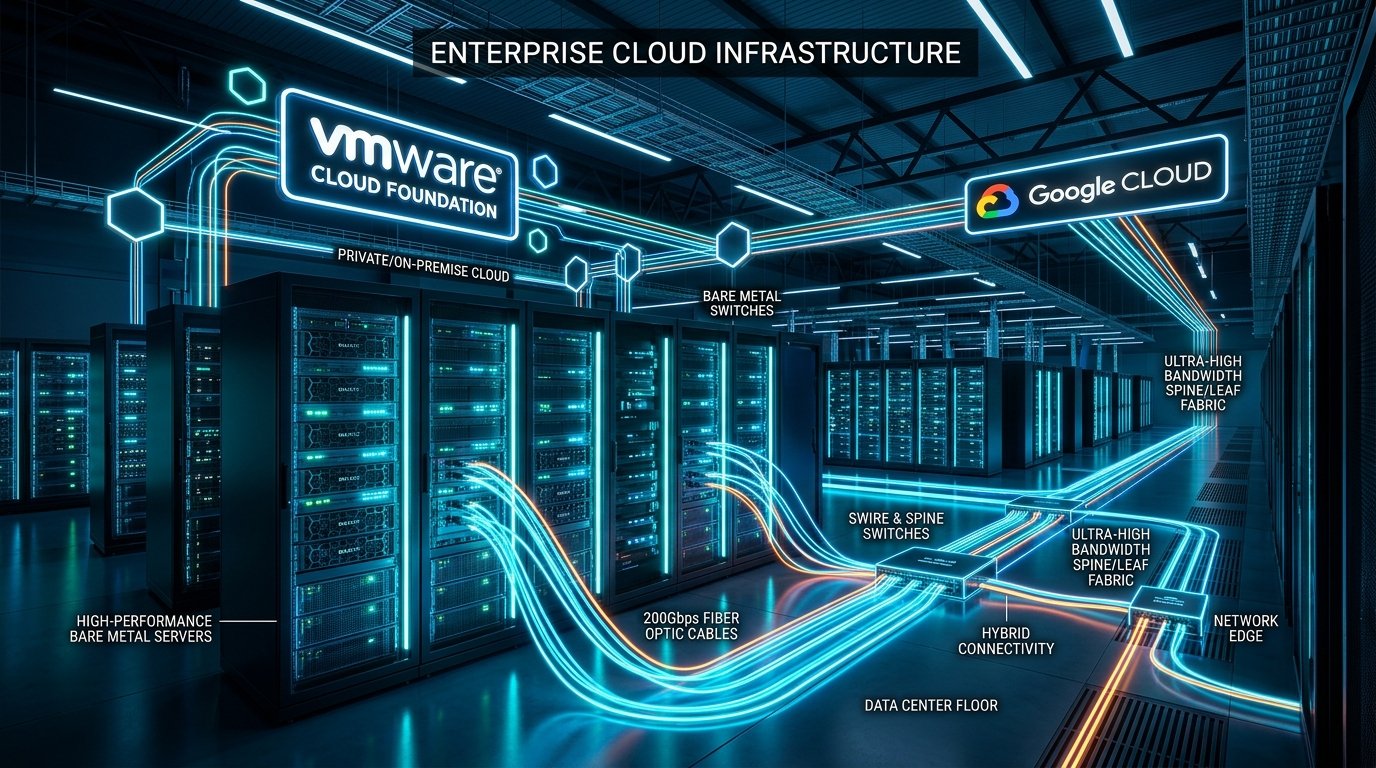
The newly released self-managed VMware solution eliminates this dilemma. By deploying Broadcom's flagship VMware Cloud Foundation (VCF) 9.x directly onto dedicated Google Compute Engine (GCE) Z3 bare-metal instances, enterprises now retain 100% root administrative authority while tapping into Google Cloud's world-leading Andromeda software-defined networking, NVMe memory tiering, and direct private connectivity to AI platforms like BigQuery and Gemini.
2. Why Enterprises Should Adopt This Solution
Enterprise adoption of the self-managed VMware solution on Google Cloud is driven by four pragmatic, technical imperatives:
- Preserve Operational Playbooks (Zero Re-Platforming): Enterprise infrastructure is built on battle-tested automation, PowerCLI drift audits, Terraform modules, and third-party backup pipelines (Veeam, Commvault, Cohesity, Dell Data Protector). Because this solution delivers true native ESXi and vCenter instances, every existing operational runbook works without modification.
- Unrestricted Root & Kernel Authority: Many mission-critical enterprise workloads—including financial transaction engines, medical imaging, and SAP core databases—mandate specialized ESXi kernel parameters, custom VIBs, strict security compliance agents, and bespoke syslog forwarding. Unlike managed cloud services with locked vCenter permissions, teams have full root SSH access to every ESXi node.
- Decoupled Hardware Lifecycle & Agile Scaling: On-premises server refreshes demand 6-to-12-month procurement cycles, data center rack space negotiations, and power capacity provisioning. On Google Cloud, additional dedicated 96-core Z3 bare-metal nodes can be provisioned in minutes, allowing infrastructure teams to scale compute or evacuate aging data centers seamlessly.
- Direct Highway to Google AI & Data Analytics: Virtual machines running in this environment communicate with Google Cloud services over the internal private VPC fabric with sub-millisecond latency. Production transactional databases running on ESXi can feed directly into Google BigQuery, Vertex AI, and the Gemini platform via Private Service Connect without exposing traffic to the public internet.
3. Google Cloud's Dual Offerings: Managed GCVE vs. Self-Managed VCF
Google Cloud now provides two tailored architectural options for VMware workloads. Understanding their distinct boundaries is critical for infrastructure architects:
| Capability | Google Cloud VMware Engine (GCVE) | VMware Solution on Google Cloud (New) |
|---|---|---|
| Operating Model | Google-Managed Turnkey Service | Customer- or Partner-Managed (Self-Managed) |
| Target Workloads | Teams prioritizing operational simplicity & offloaded maintenance | Enterprises requiring root access, custom VIBs & full stack customization |
| Underlying Software | VMware Cloud Foundation 5.2 | VMware Cloud Foundation 9.x (VCF 9.1) |
| Administrative Access | Role-based vCenter administrative privileges | Full root administrative access across ESXi, vCenter, and NSX |
| Lifecycle Management | Automated upgrades managed by Google SREs | Customer-driven updates via VCF Operations Management |
| Live Patching | Google-orchestrated rolling host maintenance | Up to 80% active live patching coverage without VM evacuation |
| Hardware Platform | VMware Engine ve1 and ve2 node families | Dedicated GCE Bare Metal (z3-highmem-192-highlssd-metal) |
| Licensing Model | BYOL portable VCF subscriptions | BYOL portable VCF subscriptions + Flex CUDs |
4. Hardware Deep Dive: The Z3 Bare-Metal Machine
The physical foundation of this solution is Google Compute Engine's flagship Z3 bare-metal instance family,
specifically the z3-highmem-192-highlssd-metal shape.
Unlike shared cloud instances or slice virtualization, Z3 bare metal guarantees 100% dedicated hardware isolation with zero hypervisor overhead or noisy neighbor contention:
- Compute: Powered by 4th Generation Intel Xeon Scalable Processors (Sapphire Rapids) clocked at 2.2 GHz base frequency. Each physical node packs 96 physical cores (192 hyper-threads) with advanced instruction set extensions including Intel AMX (Advanced Matrix Extensions) and AVX-512.
- System Memory: 1.5 TB of DDR5 high-speed RAM per node, delivering unprecedented memory bandwidth for dense consolidation and massive database buffer pools.
- NVMe Memory Tiering: A unique architectural capability on Z3 that tiers memory between ultra-fast DDR5 (Tier 0) and high-speed local NVMe storage (Tier 1). By transparently offloading cold memory pages to NVMe, enterprises can reduce per-node server total cost of ownership (TCO) by up to 40% without noticeable workload degradation.
- Local NVMe Storage: 72 TB of high-throughput all-flash NVMe SSD storage directly attached via PCIe Gen 5 lanes to each node.
5. Networking & NICs: Why Google's Andromeda SDN Leads the World
Network throughput and packet latency are historically the primary failure modes for high-density enterprise hypervisor migrations. In a clustered environment, high storage synchronization traffic (vSAN ESA) and real-time live migrations (vMotion) can easily saturate standard 10GbE or 25GbE links.
Google Cloud addresses this with a massive networking subsystem:
- 200 Gbps Aggregate Host Bandwidth: Each Z3 bare-metal node features redundant, high-throughput dual-port NICs delivering 200 Gbps of line-rate networking per server.
- Andromeda SDN & Jupiter Underlay: The physical bare-metal NICs plug directly into Google's Andromeda Software-Defined Networking underlay and Jupiter data center spine-leaf fabric. Packet serialization happens with ultra-low jitter, supporting sub-millisecond round-trip times between nodes.
- Jumbo Frames & MTU 8896: To maximize throughput and prevent host CPU interrupt starvation during heavy vSAN resyncs, the VPC underlay mandates an MTU of 8896 bytes. This minimizes frame headers and dramatically increases payload transfer efficiency.
- VLAN-Aware Virtual Interfaces: The VPC subnet leverages "Broadcast primary range
only with learning" subnet mask resolution, allowing native ESXi VMkernel interfaces
(
vmk0Management,vmk1vSAN,vmk2vMotion) and NSX-T Geneve encapsulation tunnels to route seamlessly with hardware acceleration.
6. Storage Architecture: vSAN ESA & NetApp Volumes
Storage efficiency is central to the economic justification of the platform. Google Cloud and Broadcom engineered a two-tier storage approach:
1. VMware vSAN Express Storage Architecture (ESA)
Rather than relying on legacy disk groups with separate cache and capacity drives, VCF 9.x utilizes vSAN ESA directly across the 72 TB local NVMe drives. Because all NVMe drives participate in a unified, single-tier storage pool, write amplifications are eliminated via the Log-Structured File System (LFS).
According to Google Cloud's architectural benchmarks, vSAN ESA reduces storage TCO by up to 39% compared to traditional external storage arrays while delivering RAID-1 write performance with RAID-5 and RAID-6 storage efficiency.
2. Google Cloud NetApp Volumes as External Datastores
In enterprise environments, data growth frequently outpaces CPU/RAM consumption. If an organization needs 300 TB of storage but only requires 24 cores of compute, provisioning additional bare-metal nodes solely for storage is cost-prohibitive.
To solve this, Google Cloud collaborated with NetApp to support Google Cloud NetApp Volumes as external NFS datastores. Enterprises can independently scale petabytes of storage with snapshot cloning and sub-millisecond latencies without adding unneeded compute nodes.
7. Genuine Industry Reception, Quotes & Partner Ecosystem
The industry reception to this self-managed model has been overwhelmingly positive across hyper-scale enterprises, storage leaders, and global systems integrators:
For organizations seeking managed implementation, Google Cloud has certified 14 premier Global Systems Integrators and Managed Service Providers to assist with Day-0 architecture, Day-1 migration, and Day-2 operations:
Accenture, Advanced Business Computing, Cognizant, Devoteam, HCLTech, IBM, Infosys, Insight, LiverX, ModernZ, Pellera, Quantiphi, Tata Consultancy Services (TCS), Wipro, and Xtravirt.
8. How to Procure and License the Solution
Procurement consists of two distinct components: the VMware software license and the Google Cloud bare-metal infrastructure.
1. Broadcom VCF License Portability (BYOL)
Under Broadcom's revised subscription model, customers who purchase VMware Cloud Foundation (VCF) subscriptions retain license portability rights. You do not purchase VMware licenses from Google Cloud; instead, you allocate your existing on-premises VCF core licenses to the physical cores in your Google Cloud Z3 nodes.
- VCF core licenses are applied to the 96 physical cores of each Z3 node.
- No double-licensing penalty: when you migrate a workload from an on-premises host and decommission that host, its VCF core subscription can be immediately transferred to your Google Cloud cluster.
2. Google Cloud Infrastructure Commitments (Flex CUDs)
The physical Z3 bare-metal instances are consumed directly via Google Compute Engine billing:
- Flexible Committed Use Discounts (Flex CUDs): Enterprises can commit to 1-year or 3-year usage terms for GCE bare metal to achieve maximum hourly cost savings.
- Google Cloud Spend Commitments (EDP): If your organization has an Enterprise Discount Program (EDP) with Google Cloud, bare-metal consumption counts 100% towards your committed annual spend.
- Google Cloud Marketplace: Third-party partner software, migration accelerators, and support contracts can be procured directly through the GCP Marketplace against existing cloud budgets.
9. Consolidated Deployment Options Overview
Google Cloud provides two distinct, fully supported deployment workflows for standing up VMware solution infrastructure and VMware Cloud Foundation. Both methods leverage the open-source VMware solution toolkit (available on GitHub at GoogleCloudPlatform/self-managed-vmware-solution-toolkit) to automate host network preparation, VMkernel binding, Cloud DNS registration, and VCF bring-up readiness:
| Deployment Option | Best For | Resources Provisioned | Execution Method |
|---|---|---|---|
| Google Cloud Console with Toolkit | Interactive deployments, Proof-of-Concept (PoC) labs, visual testing, and staging environments | Bare-metal ESXi nodes, Dynamic NICs, Spread Placement Policies, VPC subnets, and appliance networking constructs | Visual Cloud Console wizards combined with toolkit scripts running on an administrative jump host |
| Terraform with Toolkit (End-to-End IaC) | Repeatable enterprise production deployments, automated GitOps/CI-CD pipelines, multi-region rollouts, and disaster recovery | Custom VPC (MTU 8896), multi-VLAN Layer 2 subnets, firewalls, Cloud DNS private zones, Zonal NEGs, regional ILBs with Fast IP Move, and Z3 bare-metal hosts | Automated 4-stage Terraform modules orchestrating end-to-end infrastructure provisioning followed by automated VCF installer generation |
10. Pre-Flight Prerequisites & Project Configuration
Before executing either the Console or Terraform deployment workflows, the target Google Cloud project and environment must satisfy several strict architectural prerequisites:
1. Mandatory Layer 2 Networking Project Allowlisting
The self-managed VMware solution requires native Layer 2 broadcast emulation and custom MAC learning. By default, the VMware Engine > Self-managed menu option is completely invisible in the Google Cloud Console until your project is allowlisted.
- Product: Google Cloud VMware Engine
- Priority: P2
- Category: Network Connectivity
- Business Impact: General Technical question
- Details: "Allowlist L2 network connectivity for my project", along with your GCP Project ID, Project Number, and target region/zone.
2. VPC Subnet Resolve Subnet Mask Setting
Your VPC network's subnets must have the Resolve Subnet Mask property configured to
"Broadcast primary range only with learning". This ensures that ARP broadcasts, custom
virtual MACs, and VLAN-tagged traffic route cleanly between bare-metal NICs and VMkernel interfaces.
3. Compute Engine Quotas & Hardware Limits
Ensure your Google Cloud project possesses adequate quota in your chosen region. For a standard 3-node initial management cluster, verify:
compute.googleapis.com/cpus_per_vm_familyfor Z3: 192 vCPUs per node (576 vCPUs for a 3-node cluster).compute.googleapis.com/local_ssd_total_storage_per_vm_familyfor Z3: 72 TB per node (216 TB for a 3-node cluster).compute.googleapis.com/hyperdisk_balanced_total_storage: 128 GB per node boot disk (384 GB for 3 nodes).compute.googleapis.com/resource_policies: 1 spread placement policy per cluster.compute.googleapis.com/regional_backend_services_protocol_forwarding_fast_ha: 1 per VCF management appliance VIP or NSX Edge endpoint.
4. Trusted Image Policy & VPC Service Controls
Bare-metal ESXi instances boot from Google-provided images housed in the public project
projects/smve-prod-public-images (Project Number 999037279871).
- If your enterprise enforces the
constraints/compute.trustedImageProjectsorganizational policy, you must allowlistprojects/smve-prod-public-images. - If your project sits within a VPC Service Controls perimeter, add an egress rule permitting
compute.googleapis.comoperations targetingprojects/999037279871.
11. Deep Dive: The 4-Stage Modular Terraform Toolkit Architecture
For production enterprise deployments, the Google Cloud VMware Solution Toolkit enforces a rigorous 4-stage modular Terraform dependency sequence. This ensures all networking underlays, DNS discovery zones, and load balancers are provisioned before hypervisors boot:
Running the Terraform Deployment
Clone the official toolkit repository, prepare your variable definitions file, and apply the configuration:
12. Automated VCF Bring-Up & Regional Offline Depot
Once Terraform finishes provisioning the bare-metal compute instances, Layer 2 broadcast subnets, and Cloud DNS zones, the VMware solution toolkit bridges the gap to automated VCF bring-up:
1. Exporting Deployment Configurations
The toolkit includes a Python helper utility (scripts/export_deployment_config.py) that
extracts structured JSON configurations directly from the Terraform state:
2. Automated Node Preparation & Secret Manager Password Reset
For enterprise security compliance, the initial ESXi root password on newly created bare-metal instances
must be rotated before production use. The node preparation script in the toolkit automatically pulls a
secure secret (esxi-root-password) from Google Cloud Secret Manager, resets the ESXi root
password on every bare-metal node, verifies physical NIC bindings, and pre-stages the VMware Cloud
Builder appliance.
3. Connecting to the Regional Offline Software Depot
Rather than downloading massive multi-gigabyte ISOs and OVF bundles over the public internet, Google Cloud hosts dedicated regional offline software depots. In the VCF Cloud Builder interface, configure the depot connection using Google Cloud's high-speed internal network:
- Protocol: HTTPS
- FQDN:
offline-depot.REGION.selfmanagedvmwareengine.goog(e.g.,offline-depot.us-central1.selfmanagedvmwareengine.goog) - Port: 443
- Username:
**************** - Password:
****************
* Refer to the official Google Cloud documentation for live credentials, regional offline depot endpoints, and security configuration: Google Cloud Documentation: Deploy nodes and VCF by using Terraform and toolkit.
Submitting management_domain_deployment_input.json to Cloud Builder triggers the complete
automated deployment of SDDC Manager, vCenter Server, vSAN ESA single-tier storage pools, and the 3-node NSX
Manager cluster.
13. Day-2 Capacity Scaling & Production Best Practices
Operating a self-managed VCF cluster on Google Cloud bare metal provides agility unmatched by traditional colocation facilities:
Elastic Node Expansion via Terraform
When compute or storage thresholds near capacity, scaling the cluster does not require submitting change tickets to hardware vendors:
- Update your Terraform configuration variable
deployment_mode = "node_addition"and increment the node count. - Run
terraform applyto provision the new Z3 bare-metal node into the existing spread placement policy. - Execute the outputted
neg_attachment_commandsvia thegcloudCLI to attach the new host to the existing zonal Network Endpoint Groups. - Commission the new host in SDDC Manager and expand the vSAN ESA cluster with zero downtime to running virtual machines.
Production Operational Recommendations
- Availability Domain Isolation: Always configure the GCE Compute Resource Placement Policy with an availability domain count between 5 and 8 (default: 6). This prevents two hypervisors from sharing a physical rack, chassis, or top-of-rack switch.
- Harness Active Live Patching: VCF 9.x provides up to 80% live patching coverage. Schedule rolling kernel security updates through VCF Operations Management without putting hosts into maintenance mode or triggering mass DRS VM evacuations.
- NVMe Memory Tiering Optimization: If running in-memory databases (SAP HANA, Redis, Memcached) or high-density VDI, monitor Tier-0 DDR5 vs. Tier-1 NVMe memory pressure in vCenter Performance Metrics to balance performance and host consolidation ratios.
- Secure Enterprise Backups: Because you retain full root access and native vCenter APIs, continue running your enterprise backup software (Veeam, Commvault, Cohesity). Route secondary backup copies directly to Google Cloud Storage buckets using Google's high-bandwidth private backbone.